
Hello. Could I know where the code can be handled? I wish I could implement the site but I can’t figure out where to inspect the code. Thanks
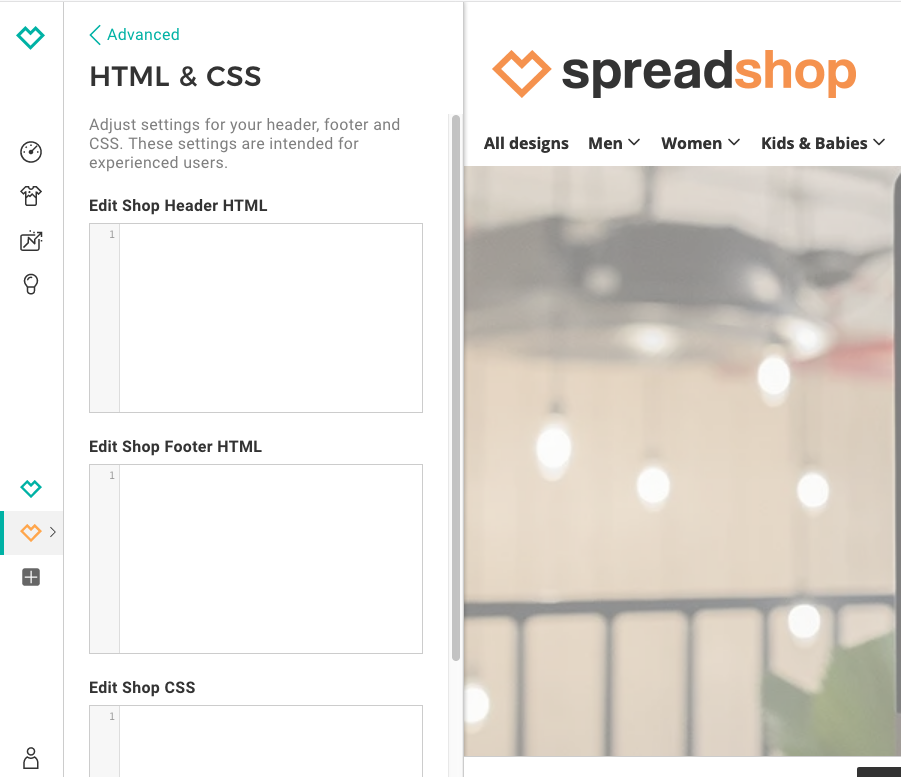
Yes, but from here I can only decide what to keep and what to remove, but I can’t change the structure of the tamplate because it doesn’t allow me to call up the classes. I wonder if there was a way to enter the html and css code to see what to change and what not, as you do with the Chrome Element Inspect tool. I tried to change classes but it doesn’t work. Even simply changing the background color of the top bar, once written the code does not work, as if it were not read.
We would suggest you open a site via Wordpress and integrate your shop with our plugin:
There you can then adapt and change pages to your liking.
The only way to change the existing shop html and css is via the settings in the partner area. The html and css input boxes only allow you to add ADDITIONAL html and css.
When it comes to changing the color scheme of your shop: you can do this under Shop Settings > Appearance > Colors & Fonts
We’re still unsure what you want to do exactly?!
This topic was automatically closed 365 days after the last reply. New replies are no longer allowed.