
Strange Message, New Store Won't Load Without Refresh

Hi everyone! I’m really stoked about getting my store up on my website, but the thing is, the store isn’t loading when it first loads, but only when you refresh the page, which is obviously problematic…I get this message first. Then the store loads on the second try.

Thanks for any help, we’d really like to get this glitch out of there.
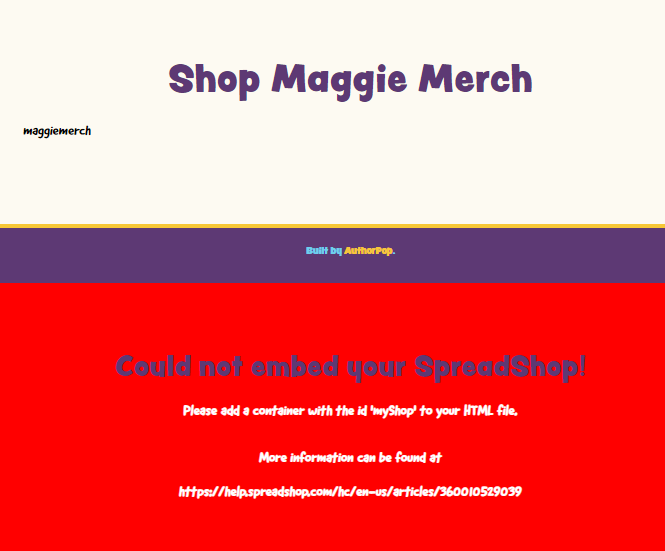
The message says there is no container with id ‘myShop’
You have to make sure there is a div or any element with id=‘myShop’ between <body> and </body> tags.
*Putting a link to your site will help others to understand the problem

Salama,

Thanks for your help. The problem persists, however. My webmaster was able to get us this far. But the page requires a reload to show the store. Here’s the link: https://www.grantoverstake.com/maggie-merch

Your store loads just fine when I click your link!

Looks fine on my end too @User_NA-77507d8a.

Thanks Britta and studiopico, but the store isn’t loading for me yet. My web tech put a placeholder message on the page, asking folks to refresh if it doesn’t load for them.

From my guy in the tech world: “I’d suggest telling them your CMS is Squarespace. The code is definitely entered properly; otherwise it wouldn’t load at all. They must have some sort of CMS-specific integration fix.”

Any thoughts on this?

Thanks so much for your advice!

Great News! It’s working with this URL: https://www.grantoverstake.com/maggie-merch#!/ but it’s not working when I land on my home page and then use the drop-down box to click onto the store. That URL is wrong, perhaps. I will ask my guy to change it.

I think it works really well now, even in the second case.
Are you still facing a problem?

This topic was automatically closed 365 days after the last reply. New replies are no longer allowed.