
Minor issue with site interface

I noticed a minor issue with an icon on a particular area of the Spreadshirt interface.
If you upload a vector design that does not meet all the requirements for vector files, you will see a message “Action Required” below your design in your “Designs” area. After you click that particular design you are prompted with a window that gives you an option to convert to a bitmap or keep as a vector file with corrections made by Spreadshirt.
It is in this window where I am seeing an issue. If you click the “Lighten/Darken Background” icon to make the background dark, the icon does not change to white to maintain visibility. I included two screen captures to clarify what I am speaking of.
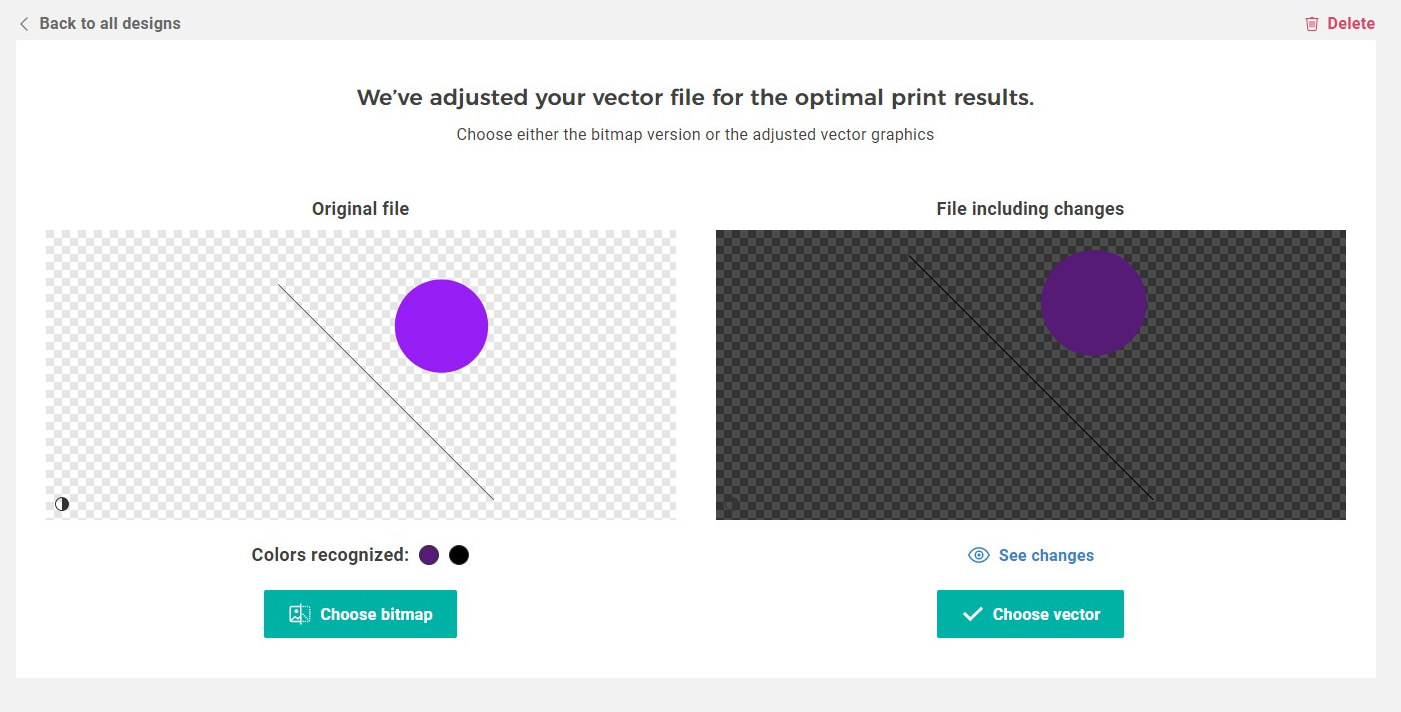

LightDarken_Icon

Not a big problem, just might cause some frustration with some of your Partners.
EDIT: The browser I was using was Opera, Version:65.0.3467.72

Can you please let me know the Design ID with which this happens? Thanks!

It actually happens with any vector design that I upload that happens to contains errors, such as lines too thin or objects not converted to paths.(If I upload a vector design that meets all requirements, I will not see the “Action Required” prompt) When you upload a vector design, it seems that the system checks the design for any errors that might cause it to be unprintable. When it does detect errors, you have the option to “choose vector” or “choose bitmap”. This is the area where I notice the issue. The issue doesn’t seem to be with my designs, it seems to be with the coding of the Spreadshirt website.
The design shown in the screen capture above was just for demonstration purposes.

Hopefully this will make more sense :smiley:
But, if it does not, I will try to explain it differently.

Thanks for letting us know. I now understand the issue and have passed along the problem.

1 Like

Great :smiley:
Thank you, Lena

1 Like

This will be fixed within the next few days!

1 Like