
I’ve set my Spreadshop font to Lato but I don’t see an option to set the text colors for product details, Add-to-Cart text etc. How to set the text colors?
Under Colours & fonts you can change the different elements. For example secondary buttons, text sets the color for your font!
Hello, Lena - Under “Colors and Fonts” I only have the following (screenshot):
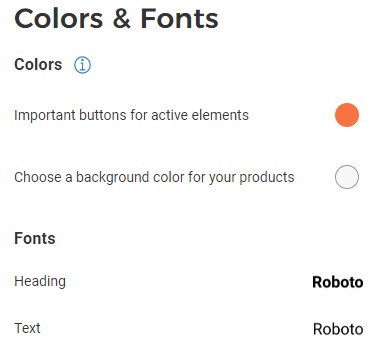
There’s no visible option to change the default black font color. Maybe I skipped a step when setting up the store?
Ok, I see the issue here:
Please go to Appearance > Themes > choose the theme completely at the bottom in small “Classic” > go back to Color and Fonts and you’ll be able to define them!
Let me know if you have any other issue!
Thank you, Lena - I changed to Classic theme and it looks awesome! Much appreciated!
1 Like