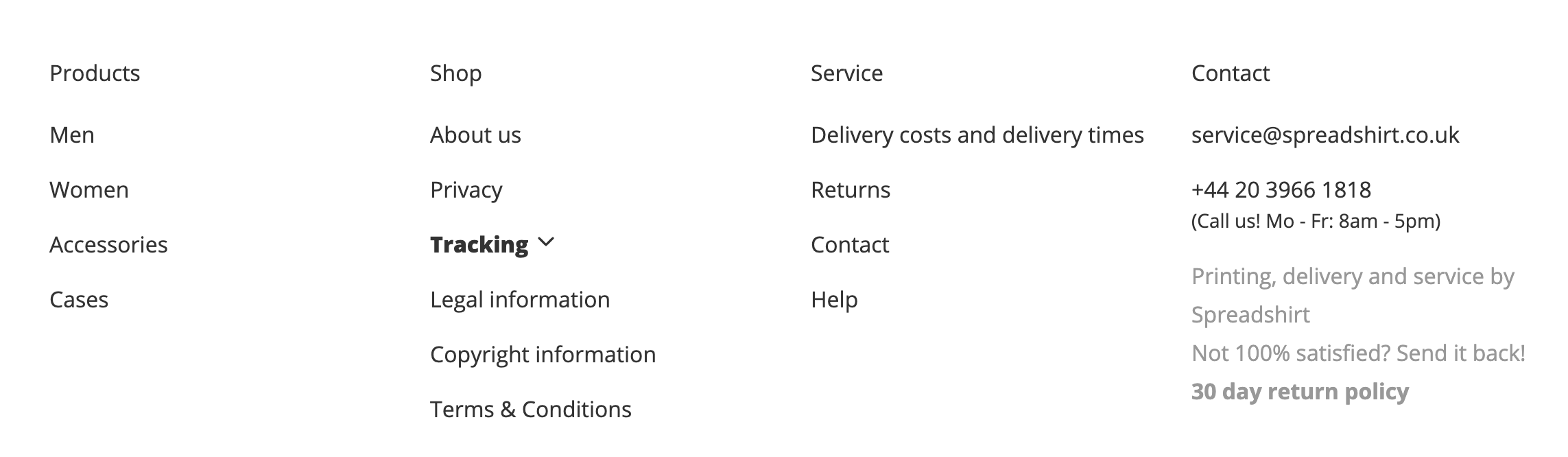
How can i Remove spreadshirt email address and contact details from the footer & on the cart /payment page on the header.I am embedding it to my wordpress website and it looks really unprofessional.
Can someone answer me please Thank you

How can i Remove spreadshirt email address and contact details from the footer & on the cart /payment page on the header.I am embedding it to my wordpress website and it looks really unprofessional.
Can someone answer me please Thank you
How did you embed the shop - on which way? Did you use a Plugin, Third-Party Plugin or Javascript embedding?
Plus your URL would be helpful, thanks 
Hi,
Embedded on my wordpress page: you can check from this link: https://www.printinlondon.co.uk/garment-printing/
You could try adding this in your shop’s CSS;
.sprd-info-footer .sprd-info-footer__col:nth-child(4){
  display:none;
}
Not working i am even happy if i can hide the full footer bar.
Just to clarify, are you are talking about the last column here?
If so, did you go to the your Partner Area > Advanced > HTML & CSS > Edit Shop CSS and put the CSS there?
Yes i did but not working
I’ve made the changes for you. The Contact column should now be hidden.
Thanks but how can i hide the full footer (just keeping the payment and delivery logos) as i will use my own pages for those info.
In your shop’s CSS, you can remove .sprd-info-footer__col:nth-child(4) from the CSS I just added. Your code should look like this:
.sprd-info-footer {
  display: none;
}
That should get rid of the footer for you, but also keep the payment/delivery logos. Just remember to click away from the CSS box if you’re trying to preview any changes you’ve made before you hit save 
Thank you very much it is working now