Example image won't upload with the shop link

Hello!

I set up a shop 5 days ago, but can’t really promote it in Facebook as the link shows up only in plain text form. No sample image with it, as it should be (and how it is with my other shop). I understand it might take a while, but 5 days seems like a long time for that.

Also the welcoming text in my shop doesn’t update for some reason even though in the settings I can see it correctly. I made some changes to it 5 days ago, but still nothing has changed.

Please post the link to your shop or let me know your shop ID? :slight_smile: Thanks!

Sure. The shop ID is 100602062.

Any news on this? I only got 7 days left from the opening two weeks 15% discount offer and I’d like to promote my shop before it ends.

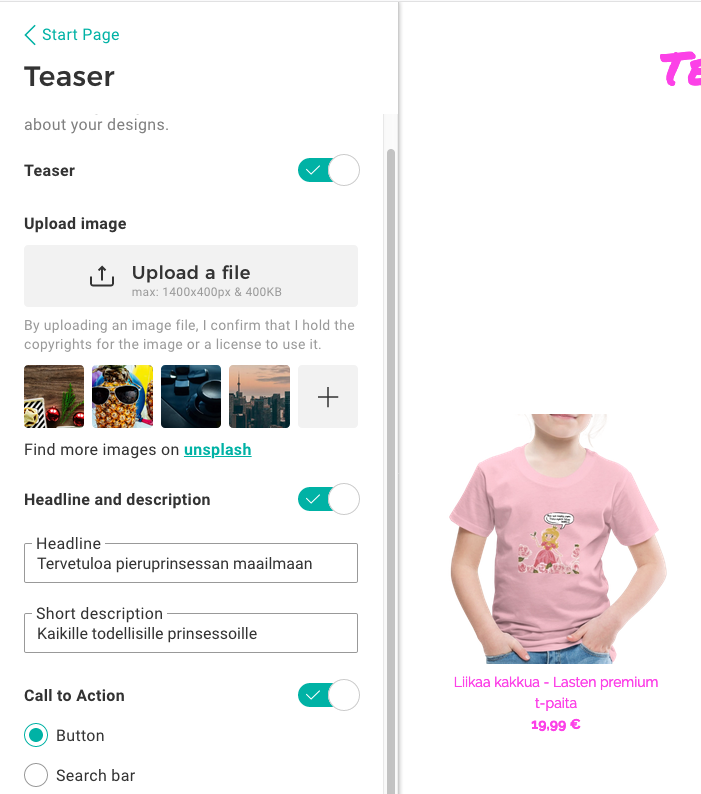
In order for an image to show up you need to upload the image here:

These should be the measuremetns of the image:

max: 1400x400px & 400KB

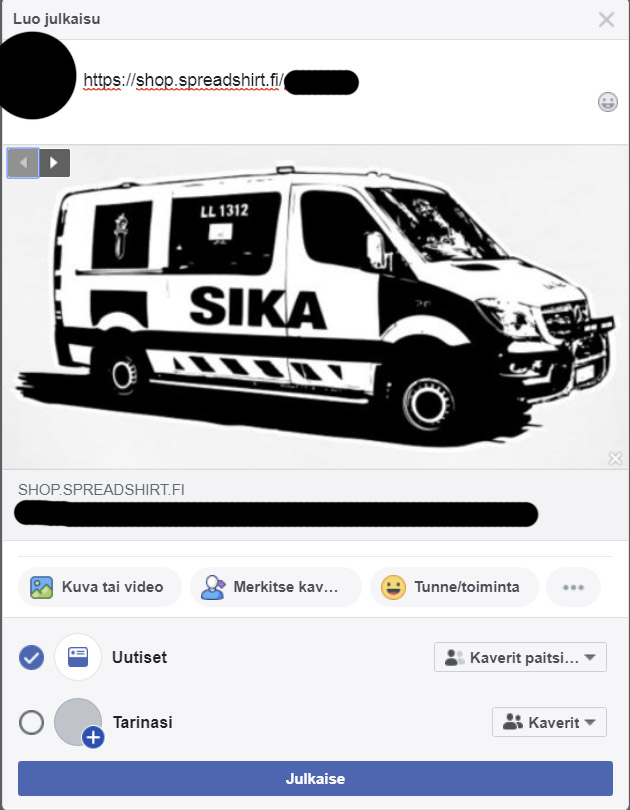
Thanks! So this is now the only way to get a preview image with a social media link? My older page still finds the preview images automatically from the shirts I’ve put on the sale. It even let me choose from a few options like this:

This is not possible anymore with the new shops?

Hey there!
Of course you need to upload an image that Facebook can use to create a shop preview. :slight_smile:
As soon as you have uploaded a logo or teaser image, as Lena proposed, Facebook is able to render at least something.
Important note! Sometimes FB fails at his first try. So it’s worth sharing the shop link twice to check if an image is rendered.
And if it won’t load a shop image at all, please add a generic image or screenshot of your shop to your posted text.
(see here: https://help.spreadshop.com/hc/fi/articles/360010529139-Tuotekuvien-jakaminen-Facebookissa)

In general, Facebook does not like Posts, that only consist of a simple link to an external website.
They want you to write some contextual texts which enable people to understand your posts.

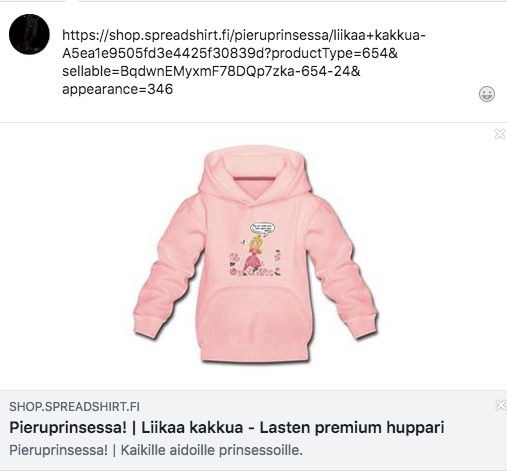
Here´s what a product link from your shop will look like:screenshot link shared

1 Like

Okay. The one thing I don’t understand here is that how my old shop finds the preview images even though I haven’t uploaded any logo or teaser images. It finds the images from the prints I’ve uploaded for my shirts (like in the example photo in my last comment - that’s a print from my shirt and it let me choose from 3-4 prints). The same way in your example of the kid’s shirt, but from the direct shop link, no need to link any particular shirt. That’s the option I’m missing here. I hope I made myself understood, this is a bit difficult to explain :slight_smile:

I see and understand, but I probably won´t be able to solve this riddle right now.

just in addition… Can you share an example link of your first shop here?

Sure, it’s this one:

And no worries, I can already start to promote my other shop with that teaser image :slight_smile:

Allright. let me share my current guess.
As you have already stated, your older shop is much “older” than the current one.
Based on that I can assume that FB already crawled some of the content at one point. But this is wild guessing. Nevertheless we don´t have much options to force FB to crawl our shops properly from here :man_shrugging:

1 Like

Thanks for your answer! Facebook can find example photos for my older shop from prints that are done after I’ve put up my new shop.

I don’t know what is the reason, but seems like Facebook simply won’t show any images with my shop link, not the banner or anything else. Now it’s been over two weeks and nothing have changed. Still can’t understand why… Of course I can always upload some photo to go with the link, but I doubt anyone else who might pass my link would bother to do that.

Maybe there is no way to solve this, which is a shame because it really hinders the social marketing. I’m out of guesses.

hmmm… what is bad with this solution, in your opinion?

Good news, now the link uploads with an image! It toke a while, but finally it happened :slight_smile:

The uploading an image by myself was a solution for me, but not for anyone else how might share my link as they would not have any images to upload with the link. So now the marketing of my shop is easier as random people can share my link with an image.

1 Like