
Customize button defaults to wrong shirt

Regardless of which design is being viewed in our spreadshop, clicking the “Customize” button displays the workspace with the wrong design – it displays the same/wrong design every time.

Any ideas what might cause/fix this? It was working fine before.
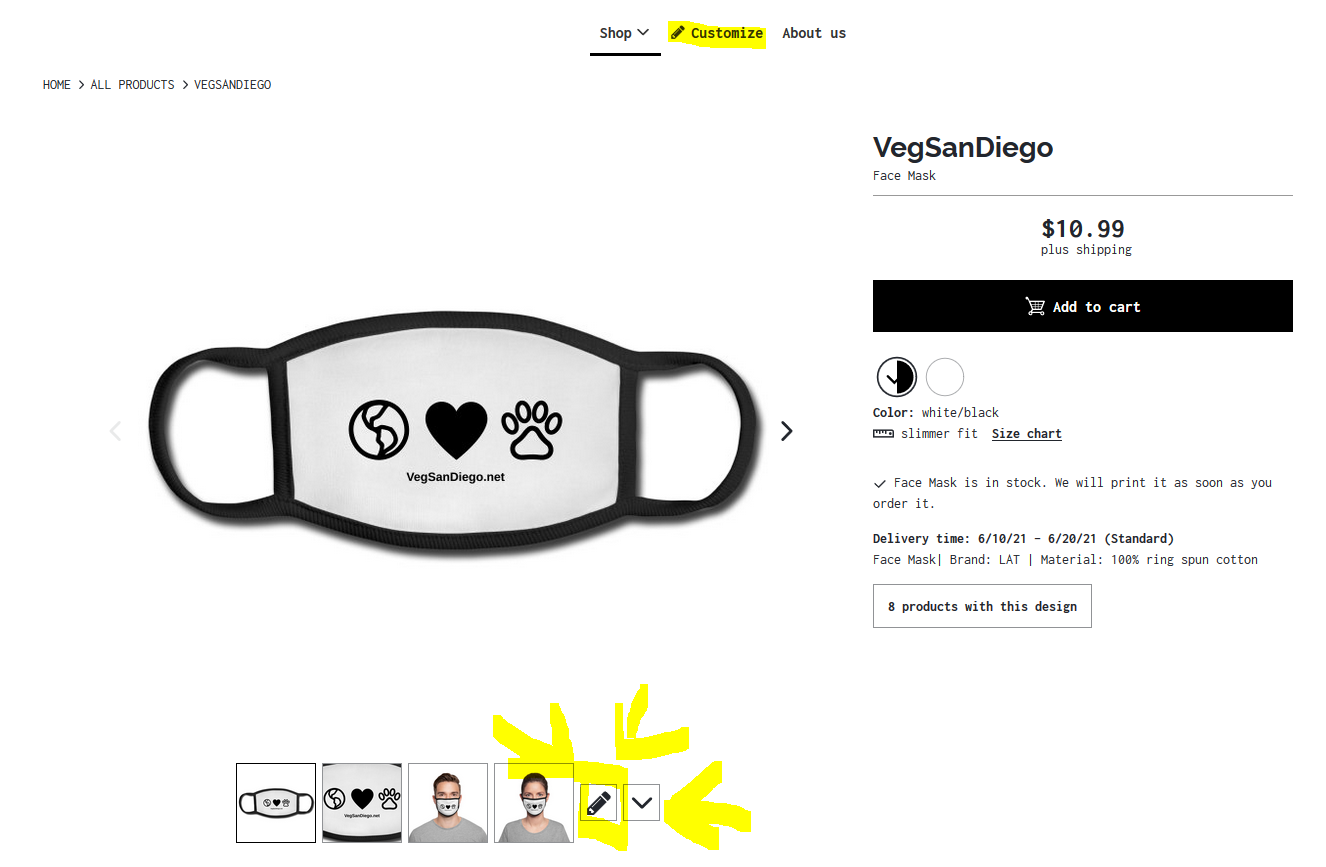
Hey @User_NA-69f6d777,
the customize button is working fine when I use it in your shop. Did you accidentally hit the “Customize” button in the navigation bar? This one always displays the same shirt and design because it is unrelated to the product or design page your customer is currently at.

You need to use the lower one, next to the product images. Might be too easy but it’s worth a shot. :slight_smile: If I’m totally wrong here, please send me some screenshots.

Ah, yes, you’re correct – I had been clicking the upper “customize” button. The lower one works.

In that case, is there a way to set which design appears by default (appears first) when clicking the upper customize button? I’d prefer to start visitors with a more general design if possible.

Either way, thanks for the help!

Hey @User_NA-69f6d777,
that was a tricky one! I had to figure that our myself. Things you never think about, you know :smiley:
But I’ve got an answer for you! The default design & product for the customize button is always the design you put first in order. So go to Shop settings > page settings > Product List Page > Sort designs - from here on you can structure and organize your designs the way you like. The design listed first here, is the one displayed under “Customize”. But be patient - it took my shop a few hours until the changes applied.
I hope this helped! :slight_smile:

~Awesome~ Thank you!

This topic was automatically closed 365 days after the last reply. New replies are no longer allowed.