
Hi,
If you click on the “Legal information” link, and then on the “Privacy policy” link in the shop checkout page, then the second link will open a popup window with the shop of the user “Privacy”!
By the way, it would be good to open those pages in popups in the Spreadshop too!
I tried to do it in an iframe but you restricted it with the SAMEORIGIN tag…
1 Like
Thanks for the findings!
I`ll be forwarding this to our DEVs.
1 Like
Still not fixed…!
Hi @NoNaked
Thanks for reporting. I will check back with our DEVs and see what the timeline is here. There seems to have been a misunderstanding.
Should be fixed now  Let me know if it works for you as well.
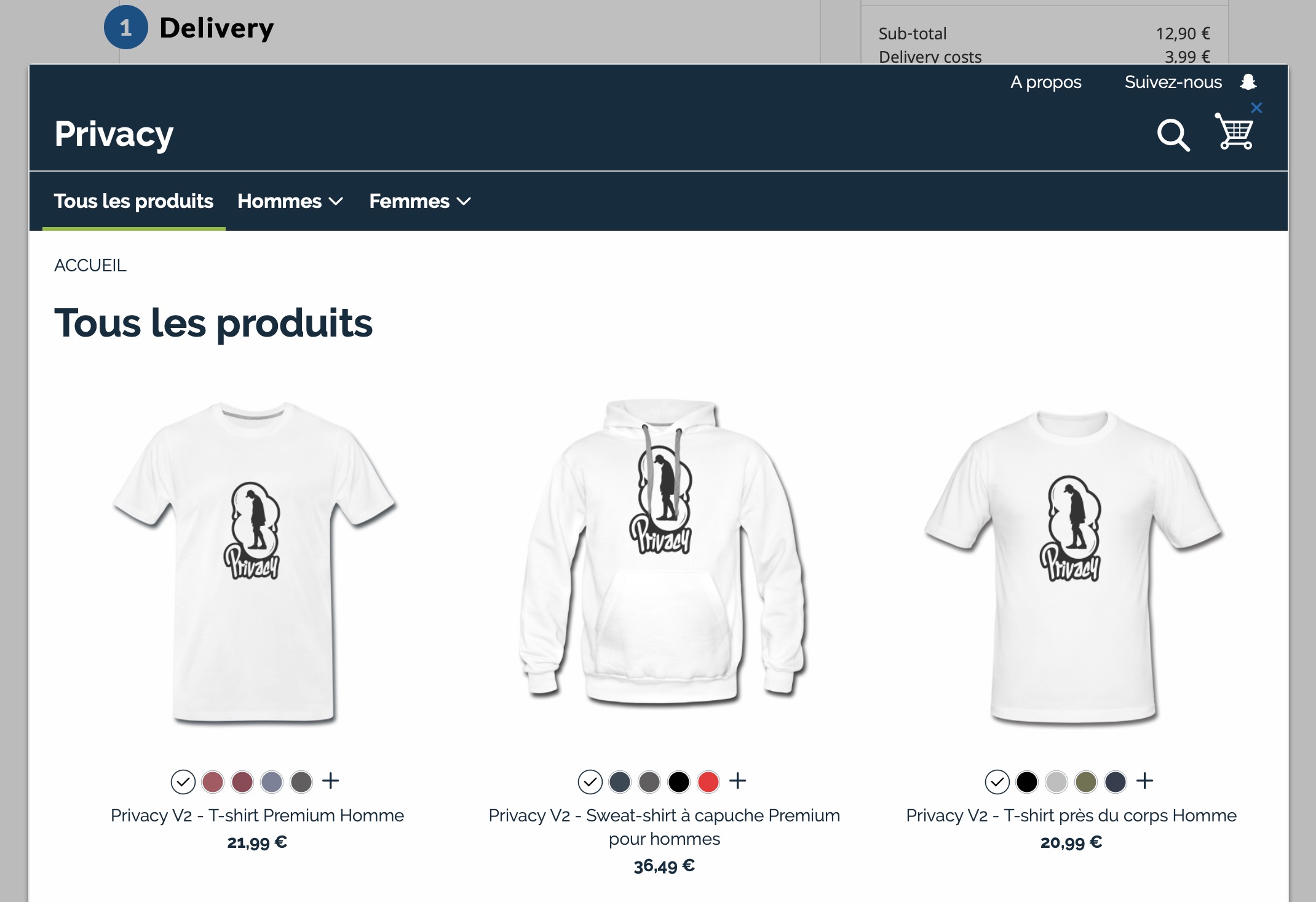
Have you tried a different browser?
Yes, same problem on Safari and Chrome
I’m having issues reproducing this. Have you cleared all of your Cache and tried again?
I even tried with a computer I never visit the website with!
- Go to the Checkout page (https://checkout.spreadshirt.net)
- Click on the “Legal information” link and close the popup window
- Click on the “Privacy policy” link
I had 8 different people try this out and it works for all of them. Could you maybe record a video and send me the link of it? Somehow we need to be able to reproduce it.
Of course this is what we have all been checking but as I already said we unfortunately cannot reproduce it anymore. A video that shows your click path and the actual issue would therefore be very much of help! Also the Browser and Version.
I know this took forever but this has now been solved!
1 Like
Oh my god!
“Privacy” account has been very lucky all this time…
2 Likes
Haha, indeed it has 